Head — A Neural System Across Projects
When you manage dozens of projects, context is the first casualty. You remember what you worked on yesterday, vaguely recall what’s blocked, and lose track of how things connect. The bird’s eye view exists only in your head — and it leaks.
I wanted to externalize it.
The problem
Thirty projects scattered across folders. Some are active, some dormant, some dead but still taking up space. No unified view of what depends on what, what’s blocked, or what to focus on. Every time I open a new session, I start from zero.
The real cost isn’t disorganization — it’s lost connections. A change in the design library affects the interaction cooker, which affects campaign pages. That chain exists, but nothing made it visible.
The solution: Head
Head is a git repo containing nothing but markdown files. A registry of every project. A goals file with ranked priorities. Per-project detail files with status, focus, and dependency links. Weekly reviews.
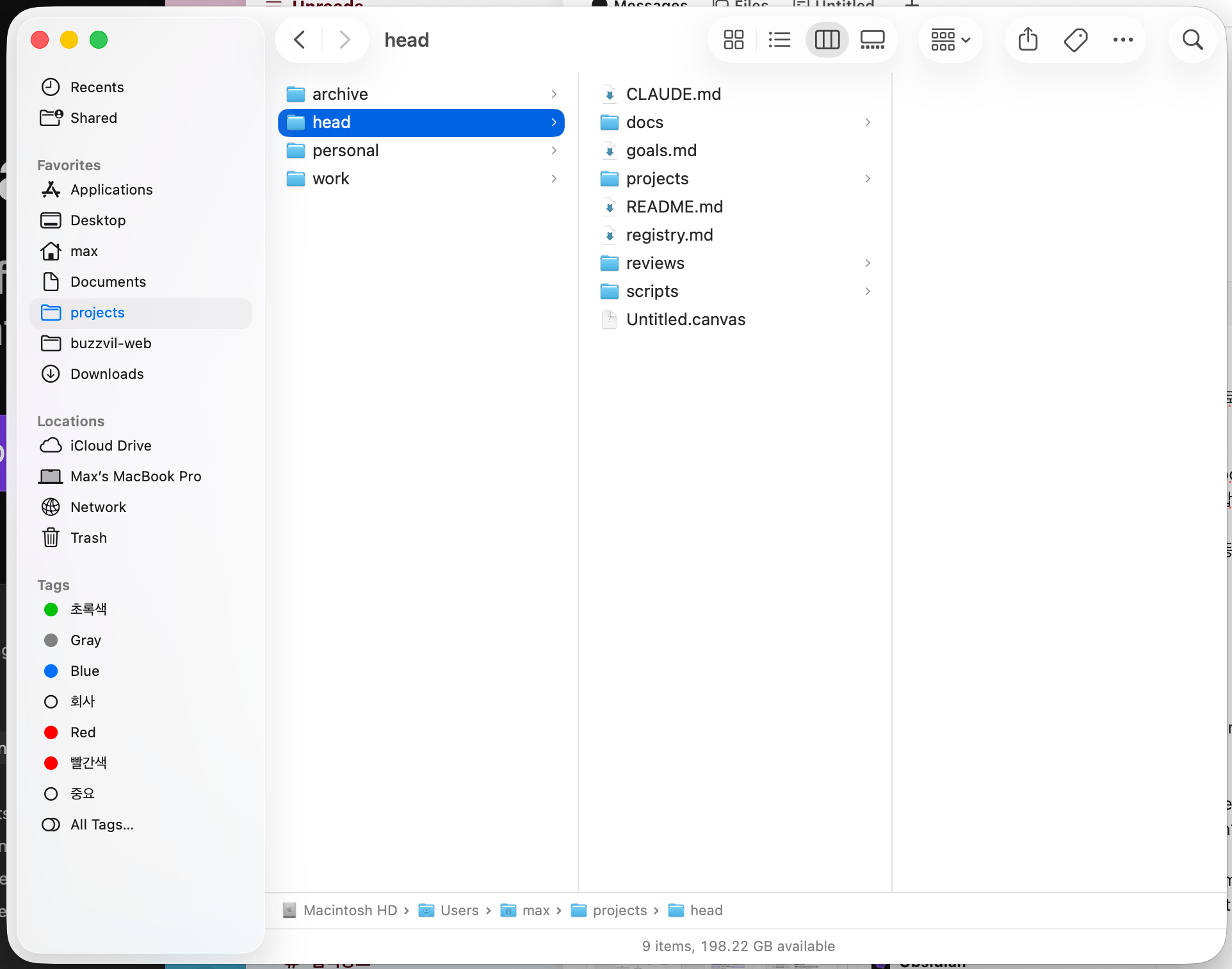
The structure is simple:
- registry.md — every project in a table with its path, status, and one-line description
- goals.md — ranked priorities, what’s on hold, why
- projects/*.md — one file per active project with current focus, recent progress, next milestone, blockers, and dependency links
- reviews/*.md — weekly check-in notes
No code. No scripts. No automation. Just structured text.
The agent layer
What makes it more than a folder of notes is the AI agent. When I open a session in head, Claude reads the registry and goals, then stands ready to answer questions across any project.
“What should I focus on today?” — it consults the goals, checks for blockers across active projects, and suggests next actions.
“How does design-library affect other projects?” — it traces the dependency chain from the project files.
“What happened this week?” — it scans git logs across all active projects and drafts a summary.
The agent doesn’t just read the markdown — it can reach into any project to pull live data. Git logs, file contents, branch status. The markdown is the map; the agent walks the territory.
The visual nervous system
This is where Obsidian comes in. Open the head folder as a vault, and the graph view renders the same network the agent navigates.
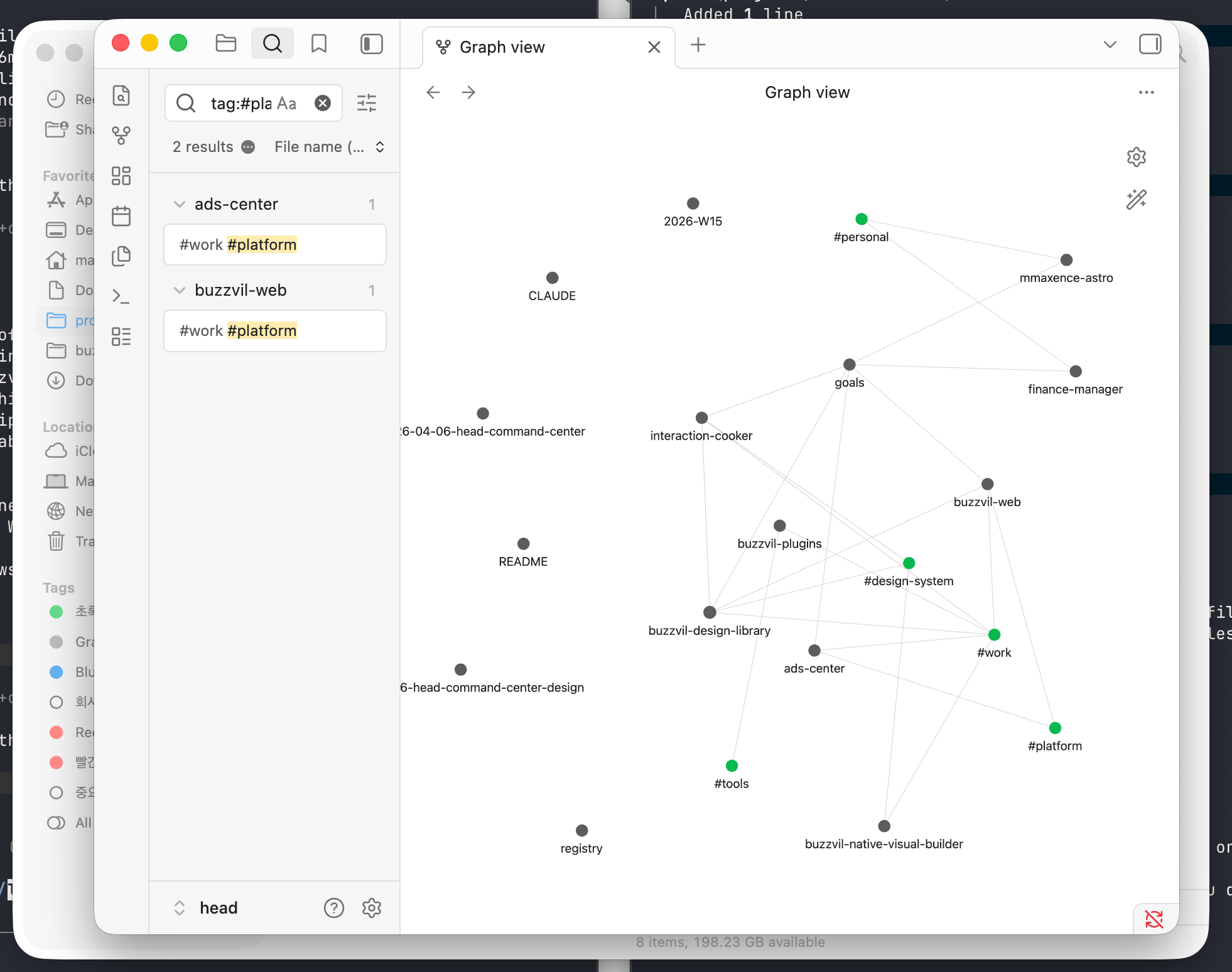
Each project file is a node. Wiki-links between them — [[buzzvil-design-library]] in interaction-cooker’s dependency section — become edges. Tags like #work, #personal, #design-system, #platform let you filter and color-code the graph.
The result: you can literally see the shape of what you’re building. Which projects are hubs. Which are isolated. Where the dependency chains run. The graph view and the agent navigate the same structure — one visually, one conversationally.
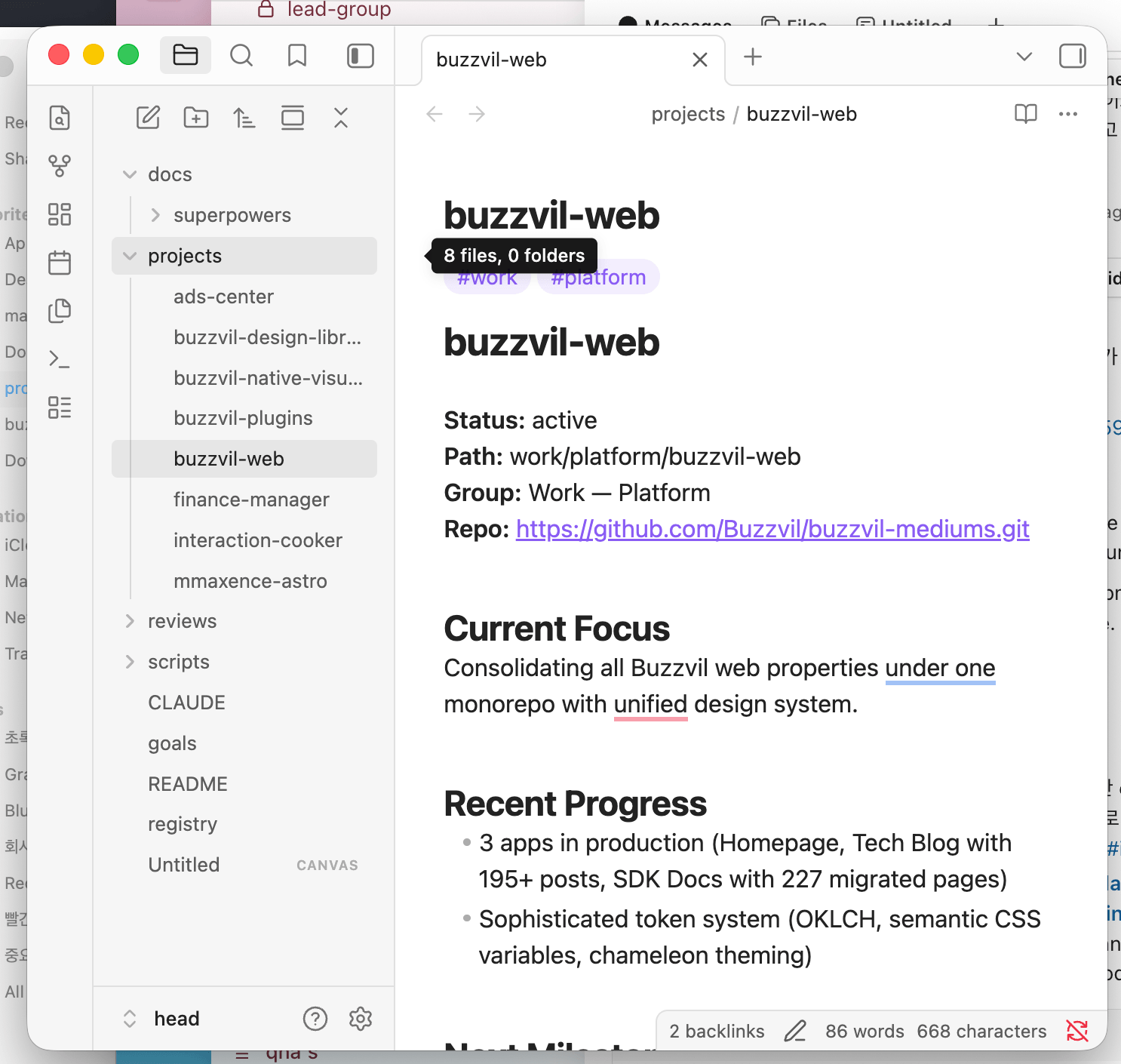
Click any node and you see its status, current focus, and backlinks — which other projects reference it. The “2 backlinks” at the bottom of buzzvil-web tells you exactly who depends on it.
What it’s not
Head is not a task tracker. Tasks live in Linear, GitHub Issues, or wherever they belong. Head tracks goals and milestones — the strategic layer above tasks.
It’s not a monorepo. Projects remain independent git repos. Head doesn’t contain or manage their code.
It’s not a dashboard that needs maintenance. The markdown files are the source of truth, updated during weekly reviews or ad hoc when something shifts. The agent can refresh them by pulling from the actual projects.
Why it works
The key insight is that the same structure serves three purposes:
- For the human — Obsidian renders a navigable, visual map
- For the agent — markdown files provide structured context on session start
- For the record — git history captures how priorities shifted over time
No translation layer between them. The markdown is the interface for all three.
Growing the nervous system
Once the structure was in place, it became natural to add skills — reusable behaviors the agent can invoke across any project:
- Weekly review — scans git logs across all active projects, drafts a review document, walks me through it, and updates goals. The ritual that keeps the system alive.
- Deploy check — after pushing code, verifies the Vercel build passed and surfaces errors with suggested fixes. Removes the “did it deploy?” tab-switching.
- New blog post — scaffolds a post with frontmatter, image directory, and dev server. This article was created with it.
- Image optimization — detects image context (blog cover vs screenshot vs icon) and applies the right compression. A hook catches oversized images automatically; the skill handles nuanced cases.
These aren’t complex. Each is a markdown file describing a process — the same format as everything else in head. The agent reads the skill and follows the steps. No code, no framework, just structured instructions that compound over time.
If your projects are multiplying faster than your ability to hold them in context, the answer might not be a better project management tool. It might be a nervous system.
Part of The AI-Native Design Playbook, a full guide for designers, PMs, engineers, and leaders moving from mockup-and-handoff to AI-native design.
Related
- Sister systems: My Agents’ Operating Manual, Nobody Owned the Website
Related
The 2026 Buzzvil Design Stack, Preparing for the AI Shift
As Buzzvil prepares for the AI shift, tool choices are no longer just operational—they are strategic. This article outlines our 2026 design stack and why a unified, code-connected system is the prerequisite for AI-assisted product creation.
Designers Open the PRs Now
6 months. 432 pull requests. One design team. What got better, and what it cost us.